Scatter Plot Chart in PowerPoint
The scatter chart is one of the most versatile and insightful tools for visualizing relationships between two numerical variables. Whether you're exploring correlations, identifying trends, or uncovering outliers, scatter charts offer a clean, effective way to analyze and communicate data.
With the Slidedoer PowerPoint Add-in, you can effortlessly create scatter charts that are visually stunning and tailored to your presentation needs. Let’s dive into the details and applications of this powerful chart type.
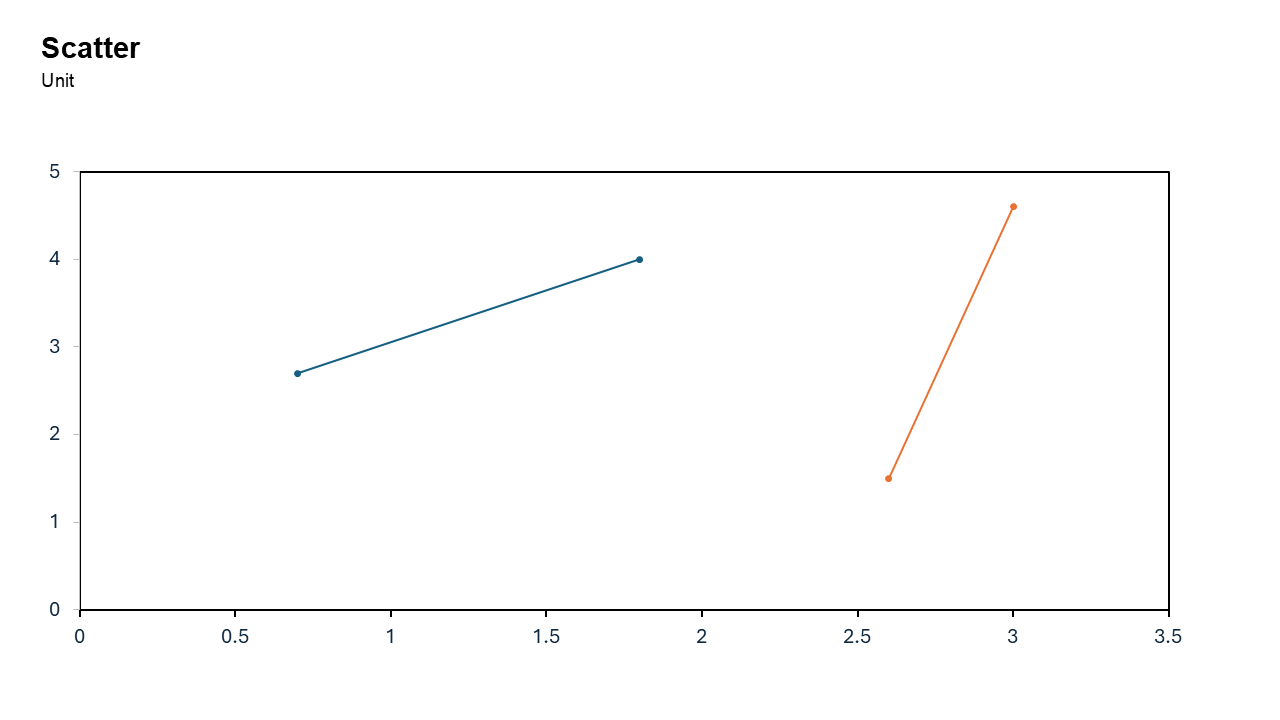
What is a Scatter Plot Chart?
A scatter chart, also known as a scatter plot, displays data points on a Cartesian coordinate system. Each point represents a value from two variables, plotted along the X-axis and Y-axis. The chart is ideal for visualizing relationships or correlations between these variables.
- Plotting advertising spend (X-axis) versus sales revenue (Y-axis) to assess their relationship.
- Examining the connection between study hours and exam scores.
Why Use It?
Discover Relationships
Scatter charts help you quickly identify positive, negative, or no correlation between two variables.
Visualize Trends
They reveal patterns and trends in your data, providing insights at a glance.
Identify Outliers
Scatter charts make it easy to spot data points that deviate significantly from the trend.
Simplify Data Analysis
With scatter charts, you can transform complex datasets into simple, interpretable visuals.
Enhance Presentations
Scatter charts are clean and professional, making them perfect for business and academic presentations.
Best Use Cases
- Correlation Analysis: Understand the relationship between two variables, such as marketing spend and customer acquisition.
- Trend Identification: Identify patterns, such as how temperature affects energy consumption.
- Outlier Detection: Spot anomalies in your dataset, like unusually high expenses in a budget analysis.
- Data Comparison: Compare multiple datasets or categories by overlaying them on a single scatter chart.
When to Avoid It
If you have categorical data, consider bar charts or pie charts instead. Scatter charts are less effective with too many data points that overlap, making them hard to read.
Tips for Better Charts
- Add Trendlines: Use linear or polynomial trendlines to emphasize patterns in your data.
- Use Contrasting Colors: Differentiate categories or groups with distinct marker colors.
- Label Important Points: Highlight specific data points or outliers with annotations.
- Avoid Overcrowding: Limit the number of data points to ensure readability, or use interactive filtering.
- Provide Context: Include clear axis labels, titles, and legends to make the chart self-explanatory.
Examples of Scatter Plot Charts
Marketing Performance
Plot advertising spend versus sales revenue to evaluate the effectiveness of marketing efforts.
Product Quality
Examine the relationship between production time and defect rates to improve quality control.
Academic Insights
Analyze how study hours correlate with exam scores to assess learning outcomes.
Financial Analysis
Explore the relationship between investment amounts and returns to identify optimal strategies.
Advantages of Scatter Plot Charts
- Simplifies Complex Data: Breaks down large datasets into easy-to-interpret visuals.
- Shows Relationships: Highlights how one variable affects another.
- Engages Audiences: Clear and visually appealing, scatter charts make presentations more impactful.
Conclusion
The scatter plot chart is a powerful visualization tool for uncovering relationships, trends, and outliers in your data. Whether you’re analyzing marketing performance, product quality, or financial returns, scatter charts provide clarity and insight.
Related Charts
Waterfall Build Up Chart | | Waterfall Build Down Chart | | Combo Chart | | Error Bar Chart | | Line Chart | | 100% Stacked Mekko Chart | | Stacked Mekko Chart | | Stacked Bar Chart | | Clustered Bar Chart | | 100% Stacked Bar Chart | | Stacked Column Chart | | Clustered Column Chart | | 100% Stacked Column Chart | | 100% Stacked Area Chart | | Stacked Area Chart | | Scatter Plot Chart | | Bubble Chart | | Pie Chart | | Doughnut Chart | | Football Field Chart | | Gantt Chart
Create Better Charts in Seconds
Use Slidedoer PowerPoint Add-in to instantly build professional scatter plot charts and 60+ business layouts.
Try Slidedoer