Line Chart in PowerPoint
When it comes to visualizing trends and data patterns over time, the line chart stands out as a clear, simple, and powerful tool. Whether you're tracking sales growth, website traffic, or temperature changes, line charts make it easy to communicate data-driven stories effectively.
With the Slidedoer PowerPoint Add-in, creating professional line charts is quick and seamless. Let’s dive into how line charts work and how Slidedoer can elevate your presentations.
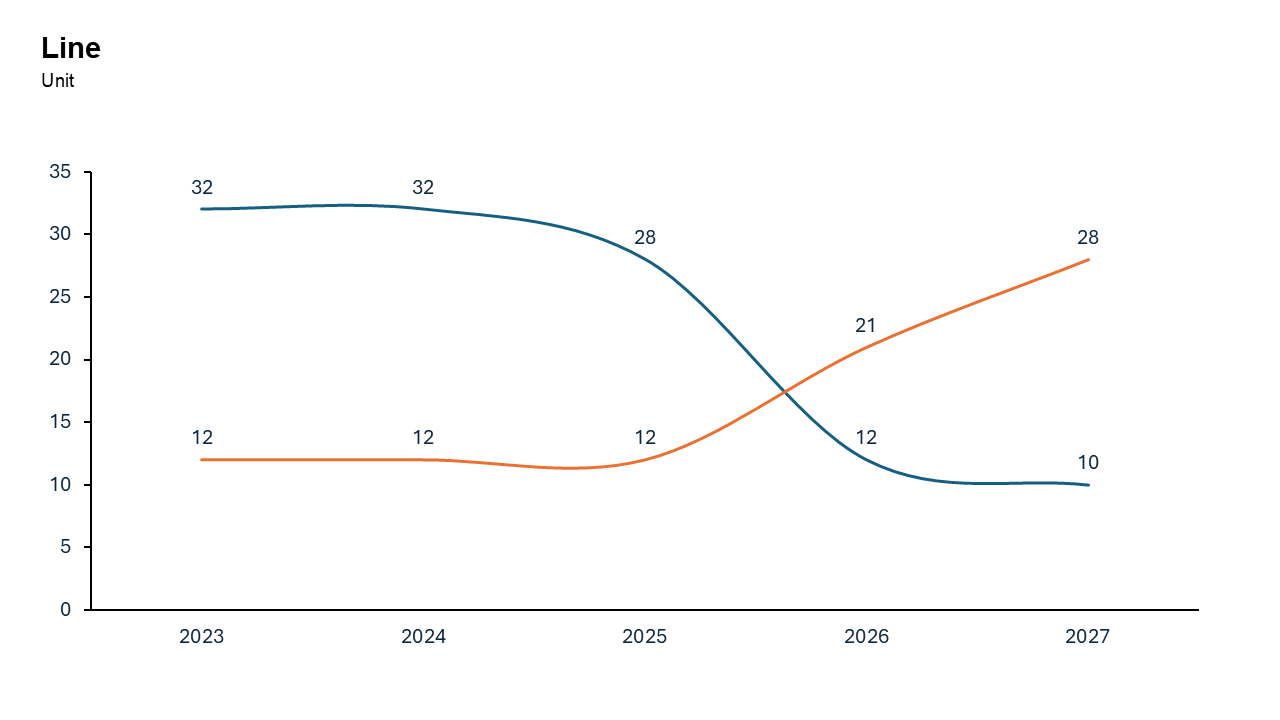
What is a Line Chart?
A line chart is a type of graph that connects individual data points with a straight line, making it ideal for visualizing changes over time. Each data point represents a value at a specific time or category, and the connecting line helps identify trends, spikes, or dips.
Line charts are commonly used in business presentations, academic reports, and data analysis to show
- Trends over time.
- Relationships between variables.
- Comparisons of multiple data sets.
Why Use It?
Highlight Trends
Line charts are perfect for tracking changes over time, such as monthly sales, website visitors, or stock prices.
Compare Multiple Data Sets
By adding multiple lines, you can easily compare trends across different categories, such as revenue from various regions or product lines.
Simplify Complex Data
Line charts make it easy to condense large datasets into an intuitive and digestible format.
Spot Patterns
They help uncover patterns such as seasonality, growth rates, or anomalies in data.
Best Use Cases
- Sales Trends: Show monthly or yearly revenue growth.
- Website Traffic: Track changes in traffic over weeks or months.
- Performance Metrics: Compare metrics like conversion rates or user engagement.
- Scientific Data: Visualize temperature changes, experiment results, or survey trends.
When to Avoid It
Avoid line charts if your data doesn’t follow a sequential or continuous pattern (e.g., categorical comparisons). In such cases, bar charts might be better.
Tips for Better Charts
- Limit Lines: Keep the number of lines to 3–5 to avoid clutter.
- Use Contrasting Colors: Ensure each line is easily distinguishable.
- Label Axes Clearly: Add descriptive labels for both axes to guide your audience.
- Highlight Key Points: Use markers, callouts, or annotations to draw attention to critical data points.
- Consider Smoothing: For noisy data, use a smoothed line chart for better readability.
Examples of Line Charts
Sales Growth
Visualize revenue growth over the past 12 months for easy trend analysis.
Website Traffic Sources
Track visits from organic, social, and paid sources to understand their performance over time.
Weather Patterns
Show temperature fluctuations or rainfall data across different seasons.
Advantages of Line Charts
- Intuitive and Easy to Read: Line charts are straightforward and require minimal explanation.
- Time-Series Analysis: Perfect for visualizing data changes over time.
- Supports Comparisons: Multiple lines make it easy to compare trends across categories.
- Customizable: With Slidedoer, you can tailor the chart to suit your needs and design preferences.
Conclusion
The line chart is a staple of data visualization, offering clarity and insight into trends and patterns. Whether you're presenting quarterly sales, website traffic, or scientific results, line charts make your data story compelling and easy to understand.
With the Slidedoer PowerPoint Add-in, you can create professional line charts that captivate your audience and elevate your presentations.
Related Charts
Waterfall Build Up Chart | | Waterfall Build Down Chart | | Combo Chart | | Error Bar Chart | | Line Chart | | 100% Stacked Mekko Chart | | Stacked Mekko Chart | | Stacked Bar Chart | | Clustered Bar Chart | | 100% Stacked Bar Chart | | Stacked Column Chart | | Clustered Column Chart | | 100% Stacked Column Chart | | 100% Stacked Area Chart | | Stacked Area Chart | | Scatter Plot Chart | | Bubble Chart | | Pie Chart | | Doughnut Chart | | Football Field Chart | | Gantt Chart
Create Better Charts in Seconds
Use Slidedoer PowerPoint Add-in to instantly build professional line charts and 60+ business layouts.
Try Slidedoer