Doughnut Chart in PowerPoint
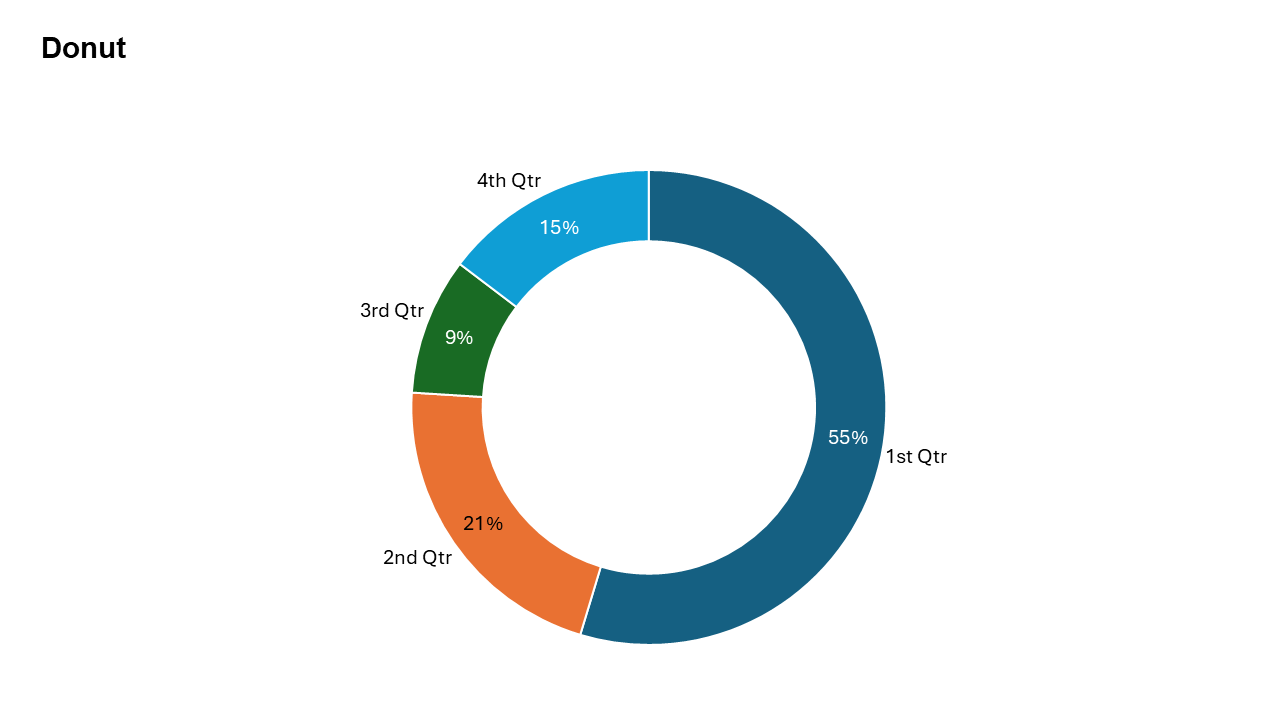
The Doughnut Chart is a versatile and visually appealing variant of the classic pie chart. With its unique design and central blank space, it allows you to showcase proportional data while providing space for additional context or visual emphasis.
With the Slidedoer PowerPoint Add-in, creating and customizing doughnut charts for your presentations is effortless. This post will guide you through understanding doughnut charts, their use cases, and how to effectively utilize them to tell your data story.
What is a Doughnut Chart?
A Doughnut Chart is a circular chart similar to a pie chart, but with a hollow center. This chart type:
Displays proportions of a whole using slices of a ring.
Highlights the relative size of each category while leaving a central space that can be used creatively (e.g., to display a total or a logo).
- Visualizing revenue shares of different product lines.
- Highlighting the percentage allocation of resources in a project.
Why Use It?
Visual Appeal
The hollow center adds a modern and stylish look, making your presentations stand out.
Space for Additional Context
Use the blank center creatively for text, logos, or key figures.
Easy Comparison
Like pie charts, doughnut charts are great for showcasing proportional contributions.
Layering Capabilities
You can stack multiple doughnut charts to represent different data sets simultaneously.
Best Use Cases
- Revenue Breakdown: Show revenue shares of product lines or services within total revenue.
- Budget Allocation: Highlight the percentage distribution of a project or departmental budget.
- Market Share: Compare the market share of competitors within an industry.
- Resource Allocation: Visualize how resources (e.g., manpower, time) are distributed across tasks or departments.
When to Avoid It
Avoid using doughnut charts for datasets with too many categories, as slices can become too small to differentiate. For precise comparisons, bar or column charts might be more effective.
Tips for Better Charts
- Use the Center Space Wisely: Add key metrics, logos, or titles to enhance the chart’s message.
- Limit Categories: Stick to a manageable number of categories (5-6) to keep the chart clear and readable.
- Contrast Colors: Assign distinct colors to each slice for better visual separation.
- Label Clearly: Include percentage or value labels for clarity and context.
- Avoid Overloading: If the chart becomes too complex, consider breaking it into multiple smaller charts.
Examples of Doughnut Charts
Sales Distribution
Visualize how different product lines contribute to total sales revenue.
Project Resource Allocation
Highlight the percentage of resources allocated to various tasks in a project.
Survey Results
Represent the percentage of responses for a specific question, such as customer satisfaction levels.
Marketing Budget Breakdown
Show how a marketing budget is divided among various campaigns or channels.
Advantages of Doughnut Charts
- Visually Appealing: A modern alternative to pie charts that adds style and clarity.
- Space for Context: Use the blank center creatively for text, graphics, or totals.
Conclusion
The Doughnut chart is a stylish and versatile visualization tool that combines the simplicity of a pie chart with additional creative opportunities. Whether you’re breaking down revenue, analyzing budget allocations, or showcasing survey results, doughnut charts are an excellent choice for presenting proportional data effectively.
Related Charts
Waterfall Build Up Chart | | Waterfall Build Down Chart | | Combo Chart | | Error Bar Chart | | Line Chart | | 100% Stacked Mekko Chart | | Stacked Mekko Chart | | Stacked Bar Chart | | Clustered Bar Chart | | 100% Stacked Bar Chart | | Stacked Column Chart | | Clustered Column Chart | | 100% Stacked Column Chart | | 100% Stacked Area Chart | | Stacked Area Chart | | Scatter Plot Chart | | Bubble Chart | | Pie Chart | | Doughnut Chart | | Football Field Chart | | Gantt Chart
Create Better Charts in Seconds
Use Slidedoer PowerPoint Add-in to instantly build professional doughnut charts and 60+ business layouts.
Try Slidedoer