Pillar Slide in PowerPoint
Business leaders, consultants, and project teams often need to communicate the key areas that support an organization's strategy, vision, or transformation journey. A Pillar Slide is one of the most effective presentation layouts for organizing major initiatives into clearly defined strategic pillars that collectively support overarching business goals.
With the Slidedoer PowerPoint Add-in, you can instantly create professional Pillar Slides that help stakeholders understand priorities, strategic themes, operational focus areas, and business capabilities. Whether you're presenting a corporate strategy, digital transformation roadmap, ESG framework, or operational excellence program, pillar diagrams provide a structured and executive-friendly way to communicate complex concepts.
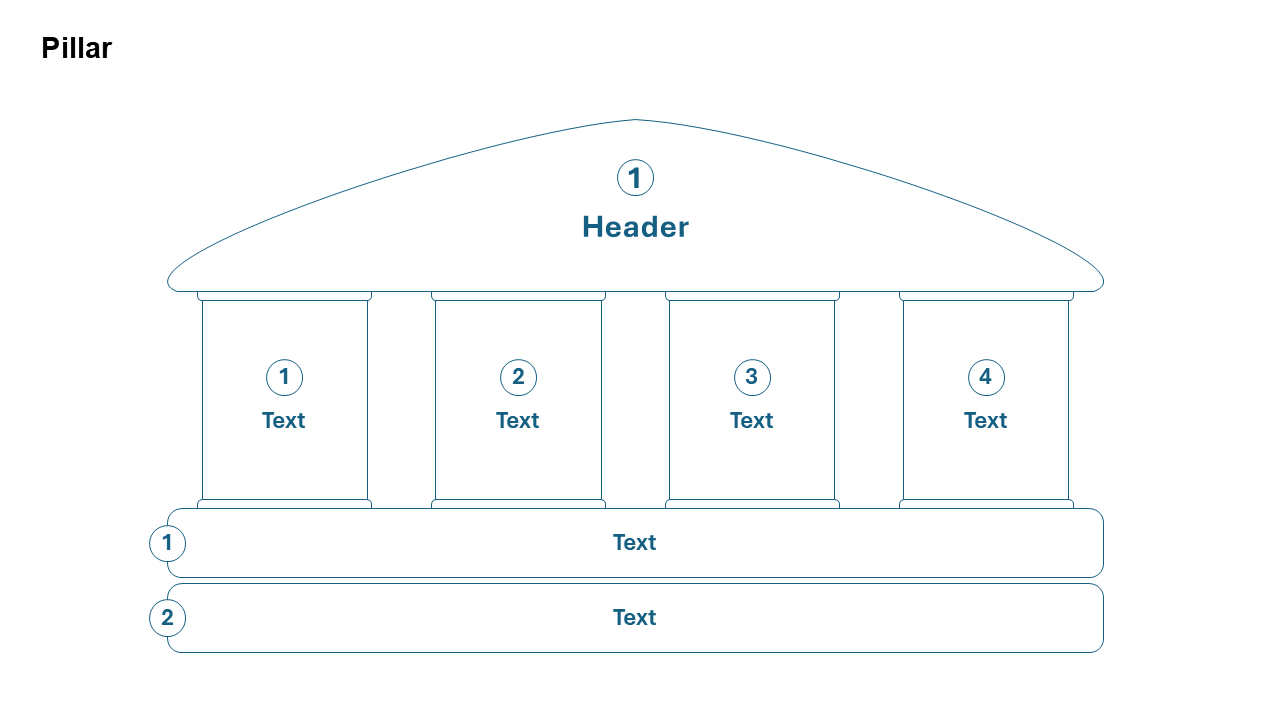
What is a Pillar Slide?
A Pillar Slide is a visual framework that organizes key business priorities, strategic themes, or capability areas into vertical pillars that support a common objective, vision, or outcome. Each pillar represents a major focus area, while the foundation and top layer illustrate how these pillars contribute to overall organizational success.
- Corporate strategy communication.
- Business transformation programs.
- Digital transformation initiatives.
- Operational excellence frameworks.
- Capability and competency models.
Why Use It?
Creates Strategic Clarity
Clearly communicates the major focus areas that drive organizational success.
Simplifies Complex Strategies
Breaks large business initiatives into understandable strategic themes.
Improves Stakeholder Alignment
Helps teams understand how individual initiatives contribute to broader goals.
Executive-Friendly Format
Provides a professional visual commonly used in boardrooms, consulting engagements, and leadership presentations.
Best Use Cases
- Corporate Strategy: Growth, innovation, customer experience, and operational excellence pillars.
- Digital Transformation: Technology, people, processes, and governance pillars.
- ESG Frameworks: Environmental, social, and governance initiatives.
- Customer Experience Programs: Service, technology, analytics, and engagement pillars.
- Business Capability Models: Core competencies supporting organizational objectives.
When to Avoid It
Avoid using a Pillar Slide when presenting sequential workflows, timelines, decision trees, or detailed process maps. Pillar diagrams are designed to communicate strategic focus areas rather than process progression or operational flow.
Tips for Better Pillar Slides
- Limit the Number of Pillars: Three to six pillars typically provide optimal clarity.
- Use Clear Strategic Themes: Ensure each pillar represents a distinct focus area.
- Maintain Visual Balance: Keep pillar sizes consistent unless intentionally highlighting priorities.
- Show Supporting Initiatives: Add sub-elements beneath each pillar where appropriate.
- Connect to Business Outcomes: Clearly illustrate how pillars contribute to organizational goals.
Examples of Pillar Slides
Digital Transformation Pillars
Technology • Data & Analytics • People • Processes • Governance
Corporate Growth Strategy
Market Expansion • Innovation • Customer Experience • Operational Excellence
Customer Success Framework
Acquisition • Engagement • Retention • Advocacy
Sustainability Strategy
Environmental Impact • Social Responsibility • Governance Excellence
Advantages of Pillar Slides
- Communicates Strategy Effectively: Organizes priorities into a clear visual framework.
- Enhances Executive Communication: Simplifies complex business concepts.
- Supports Alignment: Helps stakeholders understand strategic focus areas.
- Visually Professional: Commonly used in consulting and leadership presentations.
- Highly Flexible: Suitable for strategy, transformation, HR, technology, and operations.
Common Types of Pillar Slides
- Strategic Pillars: Key business priorities supporting long-term growth.
- Transformation Pillars: Core initiatives driving organizational change.
- Operational Excellence Pillars: Efficiency, quality, innovation, and customer value.
- Technology Pillars: Infrastructure, security, applications, and analytics.
- Customer Experience Pillars: Service quality, personalization, engagement, and loyalty.
- ESG Pillars: Environmental, social, and governance commitments.
Pillar Slide vs Pyramid Slide
Although both diagrams are used for strategy communication, they represent different relationships.
- Pillar Slide: Shows parallel strategic focus areas supporting a common goal.
- Pyramid Slide: Shows hierarchical relationships and layered dependencies.
- Pillar Slide: Emphasizes equal importance among strategic themes.
- Pyramid Slide: Emphasizes progression and foundational support.
- Pillar Slide: Ideal for business strategies and transformation programs.
- Pyramid Slide: Ideal for maturity models and hierarchical frameworks.
Conclusion
The Pillar Slide is one of the most effective business presentation layouts for communicating strategic priorities, transformation initiatives, and organizational capabilities. By organizing key focus areas into structured pillars, businesses can simplify complex strategies, align stakeholders, and create compelling executive presentations that clearly communicate direction and purpose.
Related Slides
Circular Flow | | Linear Process Flow | | Filter | | Fish Bone | | Funnel | | Market Size | | Pillar | | Pyramid | | Roadmap | | Steps | | Chart | |
Create Professional Pillar Slides in Seconds
Use Slidedoer PowerPoint Add-in to instantly build pillar frameworks, strategic planning slides, transformation roadmaps, capability models, and 60+ business presentation layouts.
Try Slidedoer