Funnel Slide in PowerPoint
Businesses often need to demonstrate how a large group of opportunities, prospects, candidates, or activities gradually narrow down into a smaller number of outcomes. A Funnel Slide is one of the most effective presentation layouts for visualizing this progression, helping audiences understand conversion rates, drop-off points, and process efficiency.
With the Slidedoer PowerPoint Add-in, you can instantly create professional Funnel Slides that clearly communicate sales pipelines, marketing conversions, recruitment processes, customer acquisition journeys, and operational workflows. Funnel diagrams transform complex data into a simple visual story that executives and stakeholders can quickly understand.
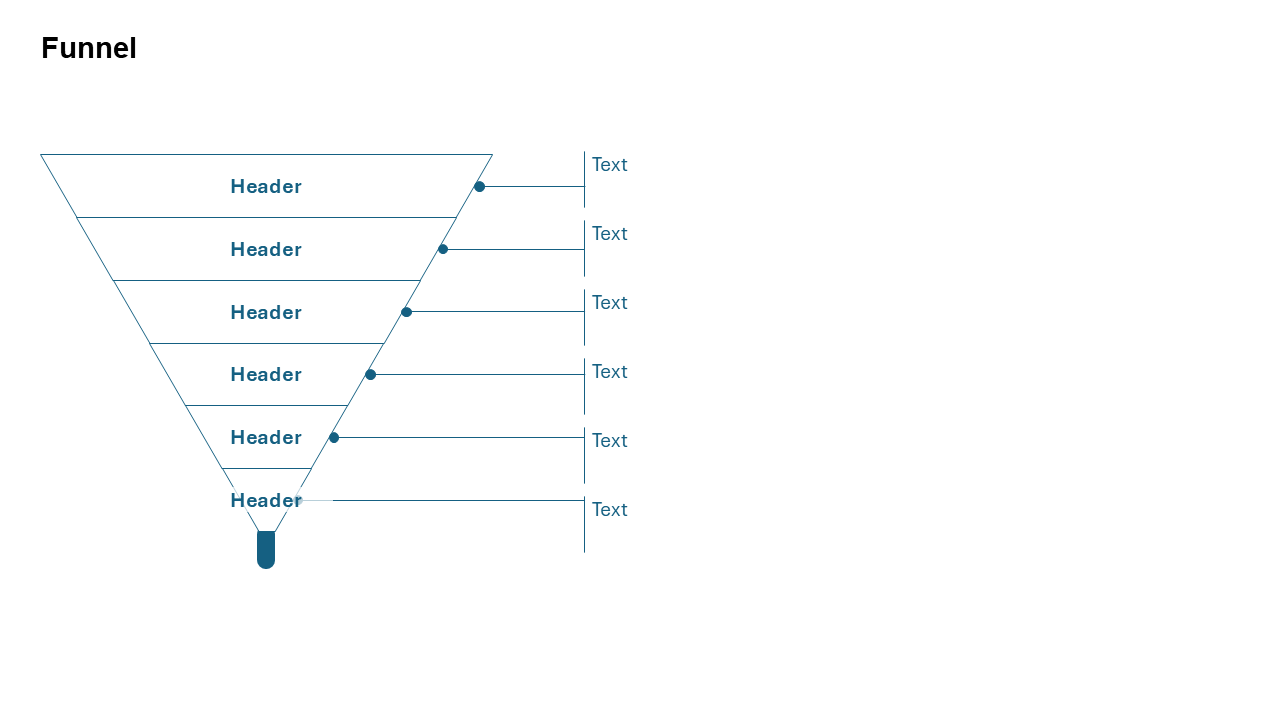
What is a Funnel Slide?
A Funnel Slide is a visual diagram that represents a process where participants, opportunities, or activities move through multiple stages, with the quantity typically decreasing at each step. The funnel shape emphasizes filtering, qualification, conversion, and progression toward a final outcome.
- Sales pipeline management.
- Marketing conversion tracking.
- Recruitment and hiring processes.
- Lead generation analysis.
- Customer acquisition journeys.
Why Use It?
Visualizes Conversion Rates
Shows how prospects, leads, or opportunities move through each stage of the process.
Identifies Bottlenecks
Highlights where the largest drop-offs occur, enabling targeted improvements.
Simplifies Complex Data
Transforms detailed conversion metrics into an intuitive visual format.
Supports Better Decision-Making
Helps managers allocate resources and optimize performance across the funnel.
Best Use Cases
- Sales Funnels: Prospects → Qualified Leads → Opportunities → Customers.
- Marketing Funnels: Awareness → Interest → Consideration → Conversion.
- Recruitment Funnels: Applicants → Screened Candidates → Interviews → Hires.
- E-commerce Funnels: Visitors → Product Views → Cart Adds → Purchases.
- Customer Success Funnels: Signups → Activation → Engagement → Retention.
When to Avoid It
Avoid using a Funnel Slide when all stages contain similar volumes, when there is no filtering process, or when the workflow involves loops, branches, or parallel activities. In such situations, process flows, timelines, or organizational diagrams may be more appropriate.
Tips for Better Funnel Slides
- Limit Funnel Stages: Focus on the most important conversion points.
- Include Key Metrics: Show counts, percentages, or conversion rates at each stage.
- Use Consistent Labels: Keep stage names short and easy to understand.
- Highlight Drop-Off Points: Draw attention to areas needing improvement.
- Maintain Visual Proportions: Reflect actual stage reductions where possible.
Examples of Funnel Slides
B2B Sales Funnel
Prospects → Qualified Leads → Discovery Calls → Proposals → Closed Deals
Marketing Conversion Funnel
Website Visitors → Leads → Marketing Qualified Leads → Customers
Recruitment Funnel
Applicants → Shortlisted Candidates → Interviews → Job Offers → Hires
Customer Acquisition Funnel
Awareness → Engagement → Evaluation → Purchase → Loyalty
Advantages of Funnel Slides
- Easy to Understand: Quickly communicates conversion processes.
- Highlights Performance Gaps: Identifies bottlenecks and drop-off points.
- Executive-Friendly: Presents key business metrics in a visual format.
- Supports Optimization: Encourages data-driven process improvements.
- Versatile: Applicable across sales, marketing, HR, operations, and customer success.
Conclusion
The Funnel Slide is one of the most effective presentation layouts for visualizing conversion processes and stage-based progression. Whether you're analyzing sales performance, marketing effectiveness, recruitment outcomes, or customer acquisition efforts, funnel diagrams help audiences quickly understand how opportunities move toward successful outcomes and where improvements can be made.
Related Slides
Circular Flow | | Linear Process Flow | | Filter | | Fish Bone | | Funnel | | Market Size | | Pillar | | Pyramid | | Roadmap | | Steps | | Chart | |
Create Professional Funnel Slides in Seconds
Use Slidedoer PowerPoint Add-in to instantly build funnel diagrams, sales pipelines, marketing funnels, customer journeys, recruitment processes, and 60+ business presentation layouts.
Try Slidedoer