Market Size Slide in PowerPoint
Investors, executives, consultants, and business leaders often need to understand the size of an opportunity before making strategic decisions. Whether you're creating a startup pitch deck, business case, investment proposal, or market analysis report, a Market Size Slide is one of the most important presentation layouts for demonstrating growth potential and commercial viability.
With the Slidedoer PowerPoint Add-in, you can instantly create professional Market Size Slides that clearly communicate Total Addressable Market (TAM), Serviceable Available Market (SAM), Serviceable Obtainable Market (SOM), market growth rates, customer segments, and revenue opportunities. These slides help stakeholders quickly evaluate the scale and attractiveness of a market.
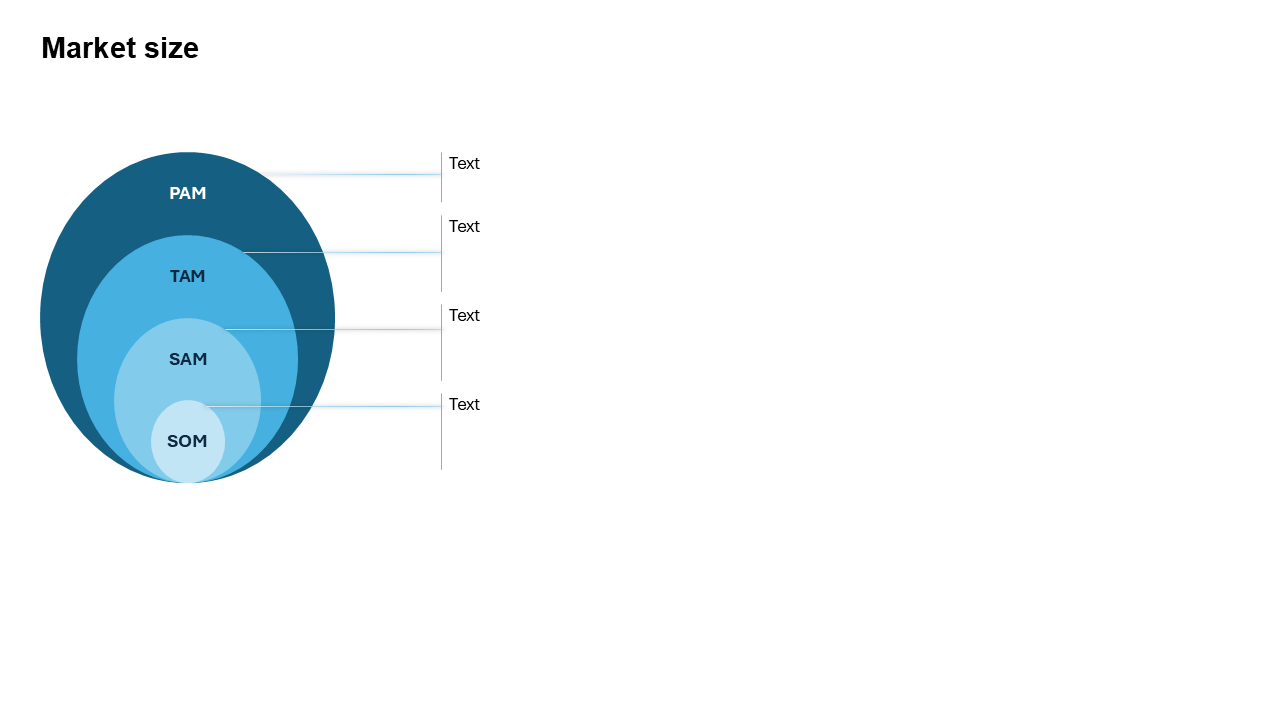
What is a Market Size Slide?
A Market Size Slide is a business presentation framework used to quantify and visualize the potential size of a market opportunity. It typically highlights market value, customer segments, growth projections, and target opportunities using charts, circles, funnels, or layered diagrams.
- Total Addressable Market (TAM).
- Serviceable Available Market (SAM).
- Serviceable Obtainable Market (SOM).
- Market growth trends.
- Industry opportunity analysis.
Why Use It?
Demonstrates Business Potential
Shows investors and stakeholders the size of the revenue opportunity available in the market.
Supports Strategic Decision-Making
Helps organizations prioritize investments, product launches, and expansion plans.
Strengthens Investor Presentations
Provides evidence that a market is large enough to support business growth and scalability.
Simplifies Market Research
Converts complex market data into a visual format that is easy to understand.
Best Use Cases
- Startup Pitch Decks: Demonstrating investment opportunities.
- Business Plans: Supporting growth and expansion strategies.
- Market Research Reports: Presenting industry insights and forecasts.
- Product Launch Strategies: Identifying target customer opportunities.
- Corporate Strategy Presentations: Evaluating market attractiveness.
Understanding TAM, SAM, and SOM
The most common Market Size Slide structure uses the TAM-SAM-SOM framework.
TAM (Total Addressable Market)
Represents the total demand for a product or service if every potential customer purchased it.
SAM (Serviceable Available Market)
Represents the portion of the TAM that fits your business model, geography, or target audience.
SOM (Serviceable Obtainable Market)
Represents the realistic market share a company can capture within a defined period.
When to Avoid It
Avoid using a Market Size Slide when presenting operational processes, project timelines, organizational structures, or detailed financial statements. Market sizing frameworks are specifically designed to communicate opportunity size rather than execution plans.
Tips for Better Market Size Slides
- Use Credible Sources: Support market estimates with trusted industry research.
- Show Growth Trends: Include CAGR and market forecast data where available.
- Visualize TAM-SAM-SOM Clearly: Use nested circles or layered diagrams.
- Focus on Relevant Segments: Highlight the specific opportunity your business targets.
- Keep Numbers Simple: Use rounded figures and concise explanations.
Examples of Market Size Slides
SaaS Startup Market Opportunity
TAM: $50B → SAM: $8B → SOM: $400M
E-Commerce Industry Analysis
Global Market → Regional Market → Target Customer Segment
Healthcare Technology Market
Industry Value → Digital Health Segment → Target Specialty Area
PowerPoint Productivity Software Market
Global Presentation Software Users → Business Professionals → Frequent PowerPoint Users
Advantages of Market Size Slides
- Supports Investment Decisions: Helps investors evaluate growth potential.
- Builds Business Credibility: Demonstrates market understanding.
- Improves Strategic Planning: Supports resource allocation and prioritization.
- Executive-Friendly: Simplifies complex market research.
- Highly Persuasive: Strengthens business cases and pitch decks.
Common Market Size Slide Formats
- TAM-SAM-SOM Circles: The most popular market sizing visualization.
- Layered Funnel: Shows narrowing market opportunities.
- Market Segmentation Chart: Breaks opportunities into customer groups.
- Growth Trend Chart: Displays historical and projected market growth.
- Geographic Market Map: Visualizes opportunities across regions.
- Industry Value Pyramid: Shows different market tiers.
Market Size Slide vs Market Share Slide
Although these slides are often presented together, they answer different business questions.
- Market Size Slide: Measures the total opportunity available.
- Market Share Slide: Measures how much of the market a company controls.
- Market Size Slide: Focuses on growth potential.
- Market Share Slide: Focuses on competitive position.
- Market Size Slide: Common in investment and strategy presentations.
- Market Share Slide: Common in competitive analysis and performance reviews.
How to Estimate Market Size
Businesses typically use one of three approaches when building Market Size Slides:
- Top-Down Approach: Start with industry reports and narrow the market to relevant segments.
- Bottom-Up Approach: Estimate potential customers and average revenue per customer.
- Value Theory Approach: Estimate the economic value created for customers.
Combining multiple approaches often provides the most credible market sizing analysis and improves stakeholder confidence in the projections.
Conclusion
The Market Size Slide is one of the most important presentation layouts for startups, consultants, investors, and business leaders. By clearly communicating TAM, SAM, SOM, growth trends, and opportunity size, market sizing slides help organizations justify investments, prioritize initiatives, and communicate business potential with confidence.
Related Slides
Circular Flow | | Linear Process Flow | | Filter | | Fish Bone | | Funnel | | Market Size | | Pillar | | Pyramid | | Roadmap | | Steps | | Chart | |
Create Professional Market Size Slides in Seconds
Use Slidedoer PowerPoint Add-in to instantly build market sizing diagrams, TAM-SAM-SOM frameworks, investment slides, startup pitch deck visuals, and 60+ business presentation layouts.
Try Slidedoer